

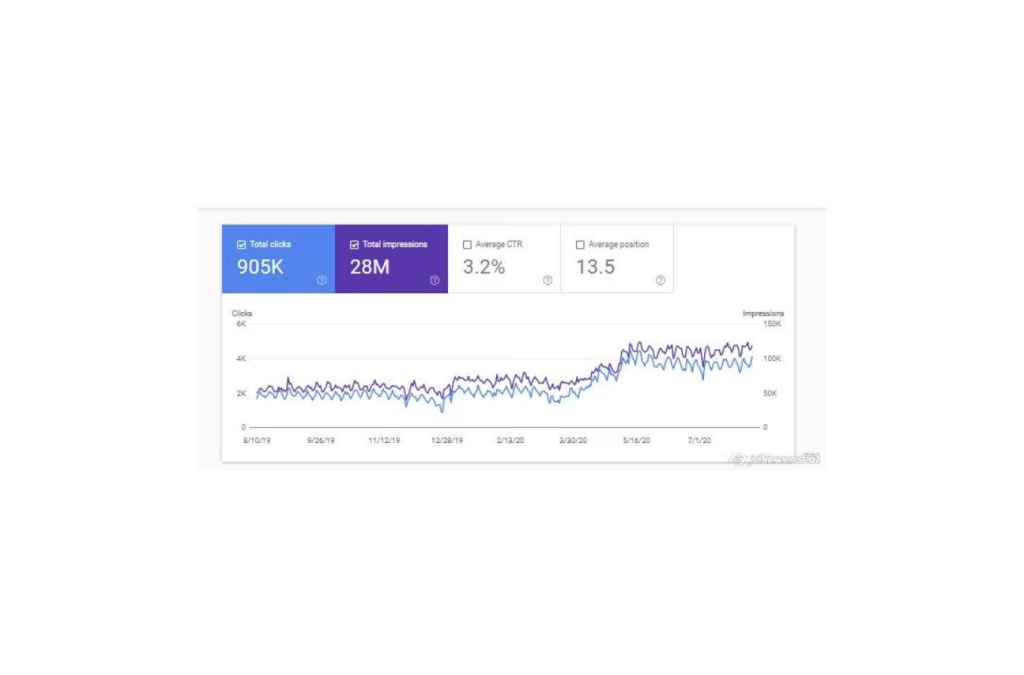
When a Magento or WordPress store comes to us looking for an SEO lift, the first place I look is not the keyword research tool. It is Google Search Console. More specifically, the Coverage and Enhancements reports. Nine times out of ten, the single highest-impact improvement we can make to an ecommerce site is fixing the issues Google has already been telling the site owner about for months.
That is the pattern I see constantly across Magento 2 and Magento development work, and it holds across ecommerce stores of all sizes. The biggest wins are rarely about chasing new keywords. They are about removing the friction Google has already flagged.
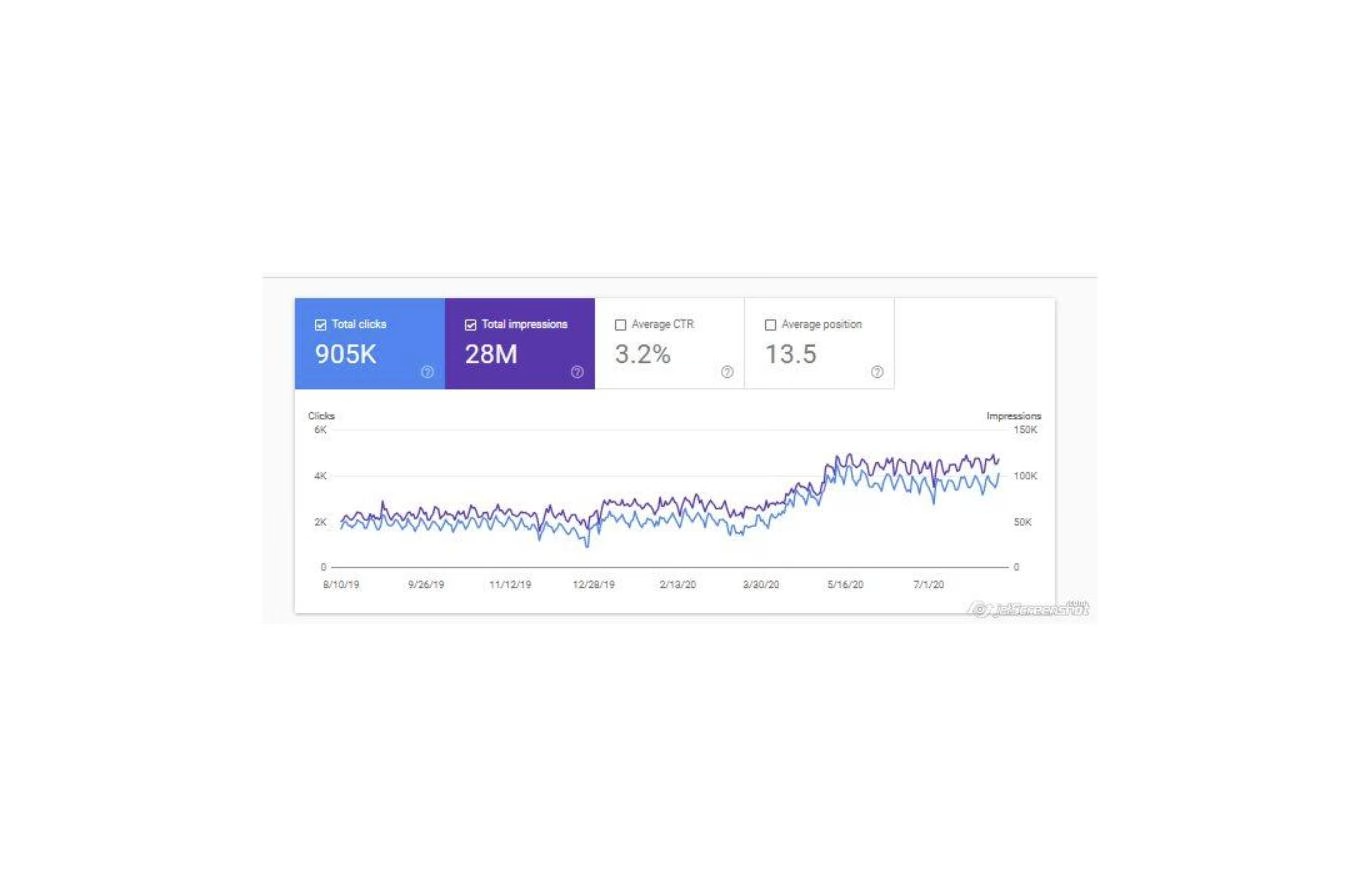
Why Google Search Console Issues Are the Cheapest SEO Work You Will Ever Do
Every improvement you make to a Magento store carries an opportunity cost. Developer hours that fix one thing are hours that could have fixed something else. So the question I ask on every engagement is which hour of work is going to move the needle the most.
Google Search Console issues are almost always the answer. You are not guessing what Google wants. Google is telling you, in writing, what is broken. The work is to read it, prioritise it, and fix it. That is a fundamentally different kind of SEO from chasing algorithm theory.
When we fix a Coverage error, we are usually unblocking pages that were earning no traffic because they were either indexed with the wrong canonical, excluded by a stray robots rule, or returning an unexpected status code. Unblocking a page that should rank for a product or category is an immediate traffic gain that compounds for as long as that page exists.
The Five Search Console Issues I Check First on Magento
When I open GSC for a new client, I look at five things in this order. Each one of them can quietly kill a store’s organic traffic for years before anyone notices.
Coverage: Excluded pages that should be indexed
Magento 2 generates a lot of URLs that do not need to be indexed — layered navigation combinations, pagination, cart and account URLs. It also generates URLs that do need to be indexed but often are not, because the default configuration is more conservative than it should be. I go through the Excluded report line by line and separate the two. Anything in the second bucket is priority one.
Canonicals pointing to unexpected pages
A surprising number of Magento stores ship with category or CMS canonicals that point to the home page. Shopify has its own version of this problem with collection pages. When that happens, Google treats those pages as duplicates of the home page and does not rank them. I see this pattern repeatedly, and it is almost always invisible until you actually look.
Broken redirects and crawl loops
Older Magento upgrades leave URL rewrite tables full of stale entries. You end up with redirect chains that cost crawl budget and often terminate on a 404 or a redirect loop. GSC will flag this as “Redirect error” or “Page with redirect” in the Coverage report. Cleaning the rewrite table is usually a one-day job and the impact on crawl efficiency is immediate.
Core Web Vitals failures
The Enhancements section of GSC gives you the per-URL breakdown of LCP, CLS, and INP issues. For a Magento 2 site running the Luma theme, there are a handful of well-known culprits I check before anything else. I wrote about the specifics in Magento 2 Luma Core Web Vitals, and the checklist there usually resolves 80 percent of what GSC is flagging.
Structured data errors
The Enhancements section also surfaces every Product, Breadcrumb, Review, and FAQ schema issue on the site. Broken product schema means your listings do not earn rich snippets. That is lost click-through rate every day the markup stays broken. The fixes are usually small and the upside is immediate.
How to Work the List Without Blowing Your Budget
When I hand a client a GSC report for the first time, they are often overwhelmed. A mature Magento store can have hundreds of lines in the Excluded report alone. The temptation is to try to fix everything at once, which is how ecommerce teams burn weeks of developer time on low-impact items.
The approach I use instead is ruthless prioritisation. Group every flagged URL by the template that generated it. One fix at the template level clears hundreds of instances. Then rank those template fixes by the revenue associated with the URLs they cover. A canonical issue on 2,000 category pages ranks above a schema issue on 50 blog posts, every time.
This is the same discipline we use on every engagement. Group, prioritise, fix at the template level, verify in Search Console, move on.
Why Most Agencies Skip This Work
Fixing Search Console issues is unglamorous. It does not generate a new dashboard. It does not let an agency pitch a new retainer. It does not get posted on social media as a win. It just quietly restores the traffic the store should already have been getting.
That is why a lot of SEO work on ecommerce stores is pointed at content and links instead. Those are easier to invoice for. But if the store has a canonical issue on its highest-value pages, no amount of content or links is going to fix it. You have to do the plumbing first. Everything else compounds on top of that.
What to Do Before Your Next SEO Engagement
Before you commission another keyword research project or another content sprint, log into Google Search Console. Open the Coverage report. Count how many URLs are in the Excluded bucket and look at the top three reasons. Open the Enhancements section and check what Core Web Vitals and structured data issues are flagged.
If any of those lists have anything on them, the highest-impact SEO work you can do this quarter is to clear them. Everything else can wait.
If you want me to review what Search Console is telling you and tell you which items actually matter for your store, get in touch. I will walk through the reports with you and point you at the work that is worth doing first.
Related reading: Why Every Ecommerce Store Needs a Fresh Pair of Eyes — the GSC pass that fits perfectly inside the thirty-minute audit window.
Related reading: Filter Out Your Brand and Face the Real Traffic. The brand-filtered baseline that tells you whether the Search Console work is moving real acquisition.
Related reading: Shopify Changed Its Sitemaps and Google Noticed First. The platform change that proved the weekly GSC read pays for itself.